
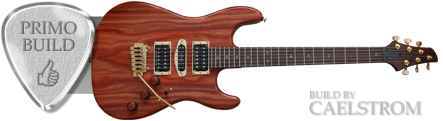

Seems they're only available on figured maple. Why? Ash has prominent, high contrast grain. I would think that'd look amazing. No?
Could or would Warmoth use some of those colors as regular transparent finishes? Love the "jungle burst" for example. Nothing quite like that in the vanilla transparent finishes. Off menu perhaps?
Finally, how do the front and back options work? I notice when you pick a dye finish, a new "back color" drop-down appears and sometimes when you choose a back color that looks available, nothing happens. (Maybe that's a web design issue)
Could or would Warmoth use some of those colors as regular transparent finishes? Love the "jungle burst" for example. Nothing quite like that in the vanilla transparent finishes. Off menu perhaps?
Finally, how do the front and back options work? I notice when you pick a dye finish, a new "back color" drop-down appears and sometimes when you choose a back color that looks available, nothing happens. (Maybe that's a web design issue)


